
How to Recover a Hacked Facebook or Instagram Account (Step-by-Step with Screenshots)
Losing access to your Facebook or Instagram account due to hacking can be frustrating and stressful. Hackers may change your password, email, or even post harmful content from your account. Fortunately, both platforms provide official recovery tools that allow you to regain access.
In this guide, you will learn:
How to recover a hacked Facebook account
How to recover a hacked Instagram account
What to do if hacker changed your email and password
How to secure your account after recovery
Signs Your Account Has Been Hacked
You should immediately start recovery if you notice:
Password suddenly not working
Unknown posts or messages sent from your account
Email or phone number changed
Login alerts from unknown locations
How to Recover a Hacked Facebook Account (Step-by-Step)
Step 1: Open Facebook Hacked Recovery Page
Go to:
👉 https://www.facebook.com/hacked
Facebook recommends using a device you previously used to log in. (Facebook)
Step 2: Find Your Account


Enter:
Email address
Phone number
Or username
Facebook will search for your account and show matching profiles.
Step 3: Verify Your Identity
You may be asked to:
Enter old password
Receive OTP on email or phone
Upload ID proof if needed
This step ensures that only the real owner can recover the account.
Step 4: Reset Password and Secure Account
After verification:
Create a new password
Review recent activity
Remove unknown devices
Once completed, you will regain full access to your Facebook account.
How to Recover a Hacked Instagram Account (Step-by-Step)
Step 1: Tap “Forgot Password” on Instagram Login Screen
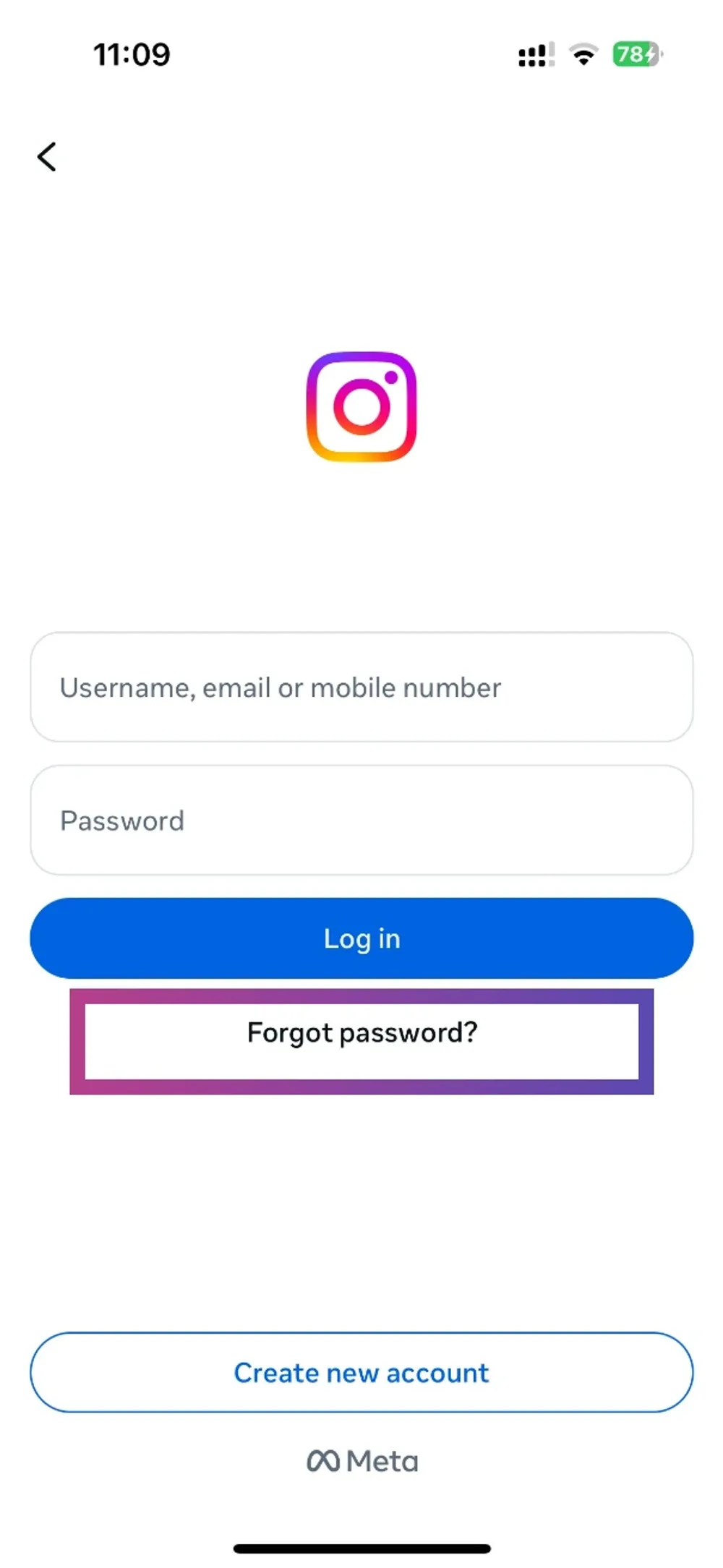
Open Instagram and tap:
Forgot password? or Get help logging in
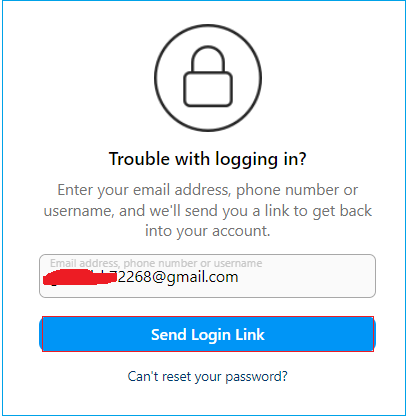
Step 2: Request Login Link or Security Code
Enter:
Username
Email
Phone number
Instagram will send you a login link or verification code. (Facebook)
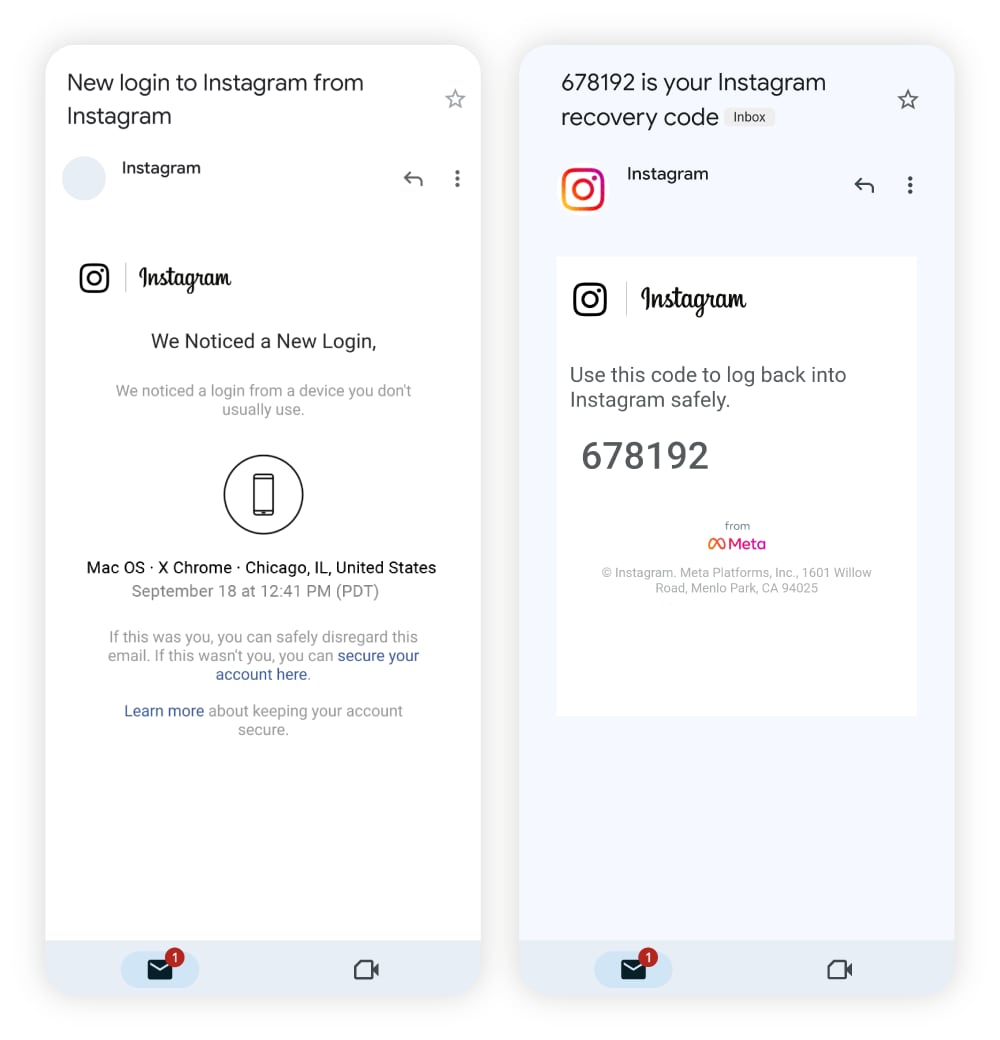
Step 3: Confirm Suspicious Email Changes
If hacker changed your email, Instagram usually sends a message saying:
“Your email was changed – secure your account.”
You can reverse the change directly from that email.
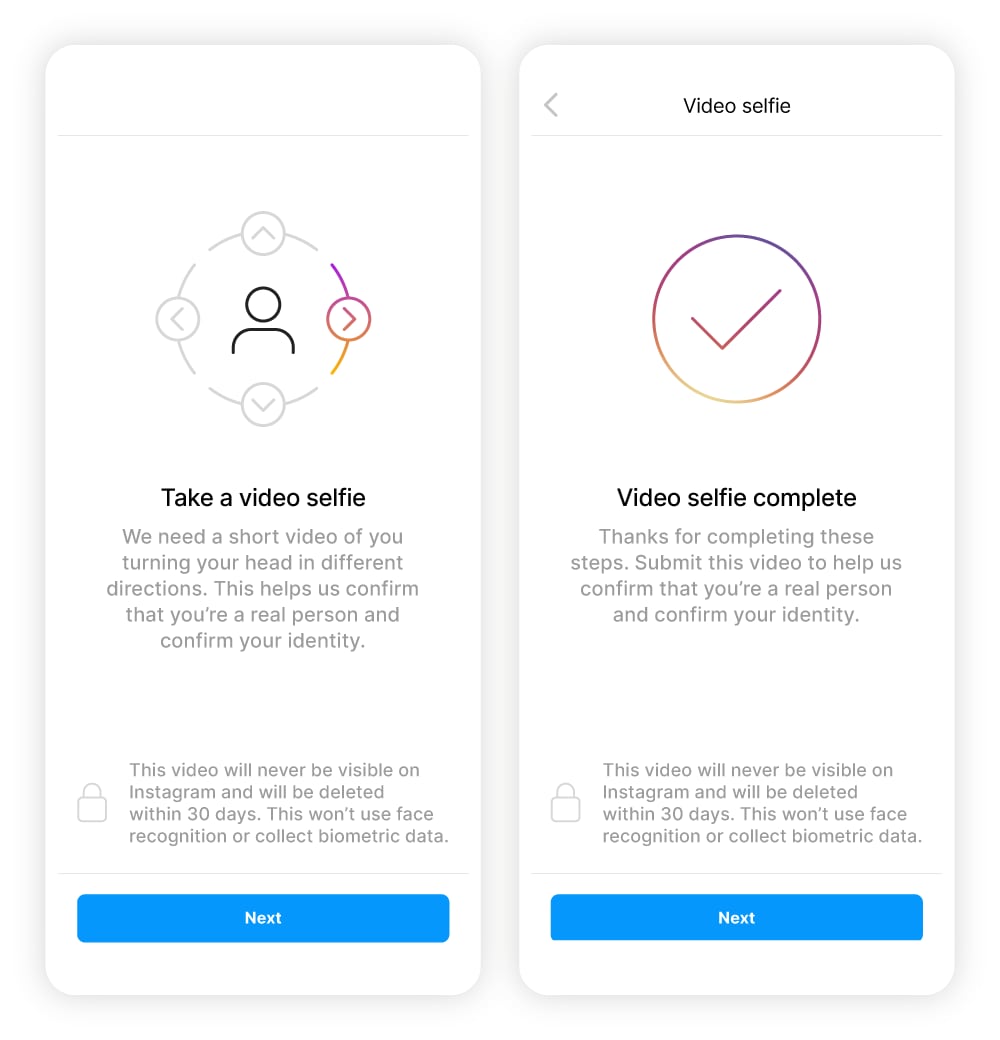
Step 4: Verify Identity Using Video Selfie
If you still cannot log in, Instagram may ask for:
Selfie video verification
Device and account details
This helps prove that you are the real owner of the account. (Facebook)
What to Do If Hacker Changed Email and Phone Number
Even if everything is changed, you can still recover your account.
Use:
👉 facebook.com/hacked
Then click:
No longer have access to these?
Tap:
Need more help and fill the support form
Both platforms allow identity verification using ID or video.
After Recovery: Secure Your Account Immediately
Many users lose their accounts again because they skip security steps. Always do the following:
Change Your Password
Use a strong password with:
Letters
Numbers
Symbols
Example:FbSecure@2026!
Enable Two-Factor Authentication (2FA)
Go to:
Settings → Security → Two-Factor Authentication
This ensures that even if someone knows your password, they cannot log in without OTP.
Remove Unknown Devices
Check login activity and log out from unknown locations.
Remove Suspicious Third-Party Apps
Hackers often connect malicious apps to maintain access. Remove all apps you don’t recognize.
Common Ways Accounts Get Hacked
Most accounts are not hacked through advanced hacking, but due to user mistakes:
Clicking fake login links
Entering password on phishing websites
Using weak passwords
Sharing OTP with someone pretending to be support
Frequently Asked Questions
How long does account recovery take?
Usually between 5 minutes to 7 days, depending on identity verification.
Can I recover my account without email or phone?
Yes. Instagram uses video selfie verification and Facebook may request ID proof.
Will the hacker still have access after recovery?
No, if you change password and log out from all devices.
Final Words
Recovering a hacked Facebook or Instagram account is possible if you act quickly and follow the official recovery steps. Always use strong passwords and enable two-factor authentication to prevent future hacking.